ITCS-Motherboard-P3
1. Central Processing Unit (CPU)
Definition
The Central Processing Unit (CPU) is the main processing unit of a computer that executes instructions, processes data and controls all computer operations. It is known as the brain of the computer.
1.1 Functions of the CPU
- Processing Data – Performs arithmetic and logical operations.
- Controlling Operations – Controls and coordinates all activities of the computer.
- Storing Intermediate Results – Temporarily stores data and instructions during processing.
1.2 Components of the CPU
1.2.1 Control Unit (CU)
- Controls and coordinates all computer operations.
- Directs the flow of data between components.
1.2.2 Arithmetic Logic Unit (ALU)
- Performs arithmetic operations such as addition, subtraction, multiplication and division.
- Performs logical operations such as AND, OR, NOT and comparisons.
1.2.3 Registers (Memory)
- Small and high-speed storage locations inside the CPU.
- Temporarily hold data and instructions being processed.
2. Motherboard
Definition
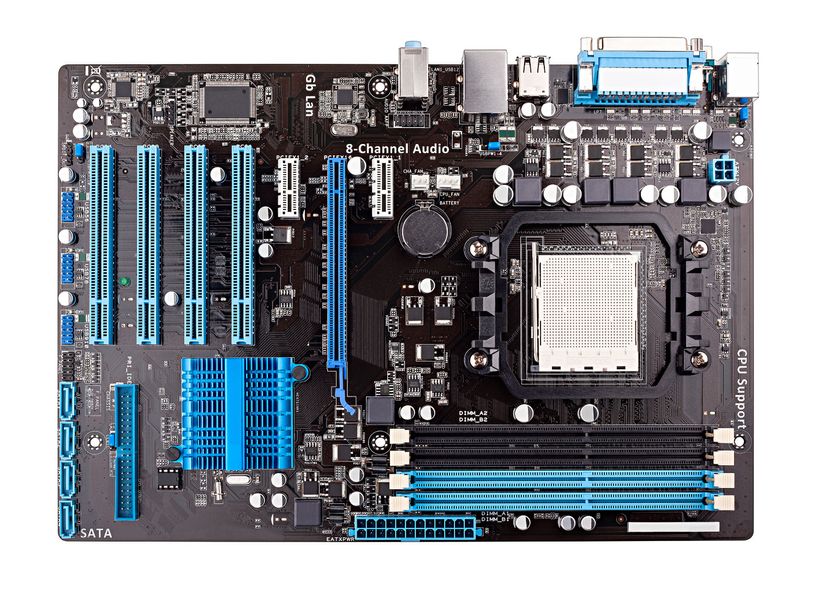
The Motherboard is the main circuit board of a computer that connects and allows communication between all hardware components.
Check out the well-labelled picture of the motherboard.2.1 Role of the Motherboard
- Connects all computer components together.
- Enables communication between the CPU, memory, storage devices and other hardware.
- Distributes power to connected components.
2.2 Components of the Motherboard
- CPU Socket - Holds and connects the CPU to the motherboard.
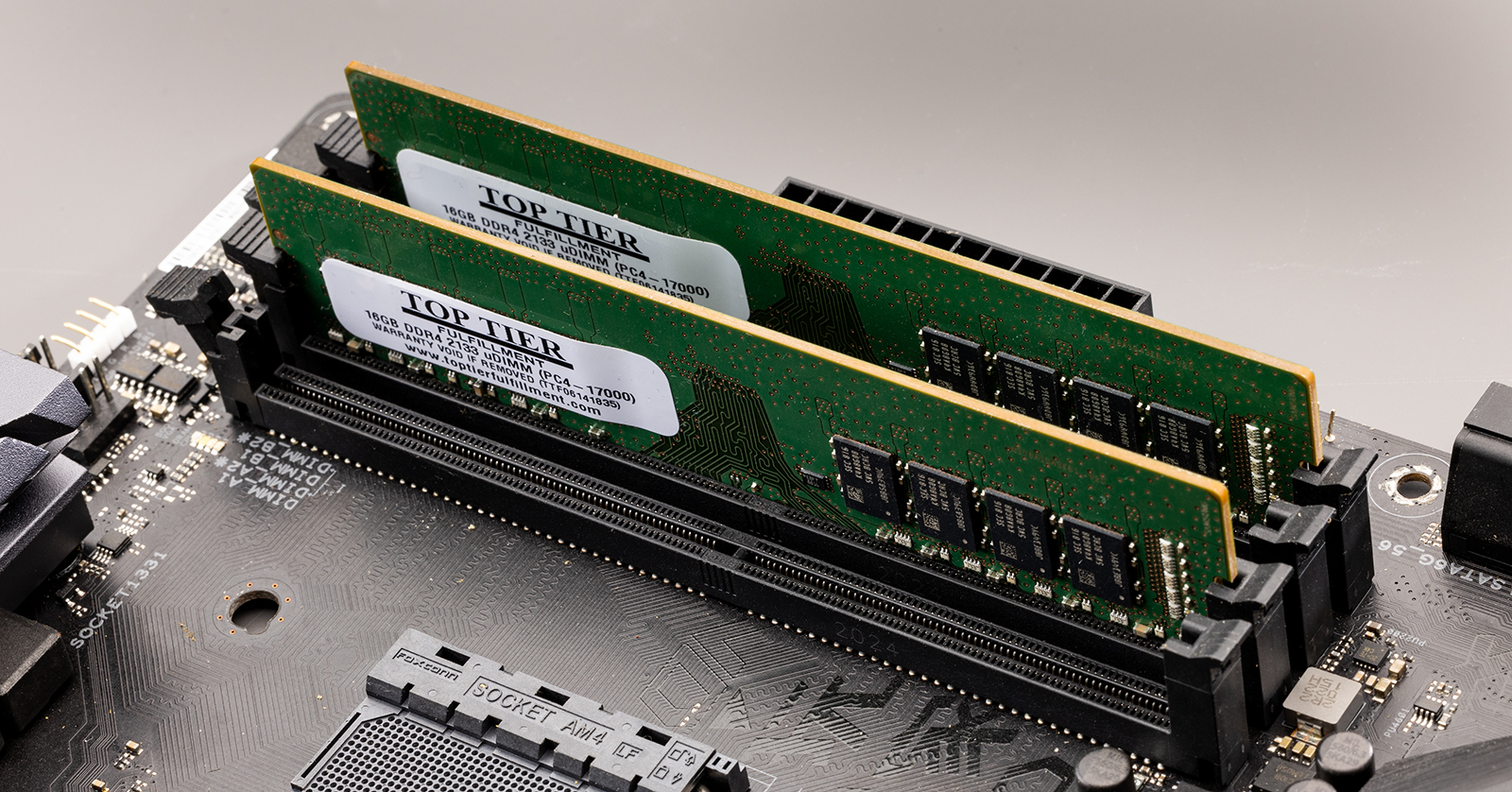
- Memory Slots - Slots used to install RAM modules.
- Chipset - Manages communication between the CPU, memory and peripherals.
- Expansion Slots - Allow installation of expansion cards such as graphics cards and network cards.
- Storage Connections - Connect storage devices such as HDDs and SSDs.
- Power Connectors - Supply power from the power supply unit to the motherboard.
- I/O Ports - Connect external devices such as keyboards, mice, monitors and USB devices.
3. Data Bus and Its Importance in Data Transfer
Definition
A Data Bus is a set of wires or pathways that carries data between the CPU, memory and other devices.
Importance of Data Bus
- Transfers data between computer components.
- Enables communication among hardware devices.
- Faster data buses improve overall computer performance.

- Data Bus - Carries data between the CPU, memory and other devices.
- Address Bus - Carries memory addresses (locations) from the CPU to other components.
- Control Bus - Carries commands and control signals between different computer components.
4. Memory
Definition
Memory is the storage area of a computer used to store data, instructions and information.
4.1 Functions of Memory
- Stores data and instructions.
- Provides data to the CPU for processing.
- Stores processing results for future use.
4.2 Types of Memory
Primary Memory
Primary Memory is the memory that stores data and instructions temporarily directly accessed by the CPU.Secondary Memory
Secondary Memory is the memory that is used for permanent data storage even after the power is turned off.4.3 Difference Between Primary Memory and Secondary Memory
| Primary Memory | Secondary Memory |
|---|---|
| Directly accessed by CPU | Not directly accessed by CPU |
| Faster speed | Slower speed |
| Smaller storage capacity | Larger storage capacity |
| Mostly temporary storage | Permanent storage |
| More expensive | Less expensive |
4.4 Types of Primary Memory
4.4.1 RAM (Random Access Memory)
- Temporary memory used while the computer is running.
- Data is lost when power is turned off.
- Also called volatile memory.
4.4.2 ROM (Read Only Memory)
- Stores permanent instructions required to start the computer.
- Data remains even when power is turned off.
- Also called non-volatile memory.

4.4.3 Cache Memory
- Very fast memory located close to the CPU.
- Stores frequently used data and instructions.
Advantages of Cache Memory
- Increases processing speed.
- Reduces CPU access time.
- Improves overall system performance.
4.5 Types of Secondary Memory
- Hard Disk Drive (HDD) - Stores large amounts of data permanently using magnetic disks.
- External Hard Drive - Portable storage device connected externally to a computer.
- Solid State Drive (SSD) - Uses flash memory instead of moving parts. It is faster and more durable than HDDs.
- Optical Discs - Storage media that are read and written using laser technology.
- CD/DVD - Types of optical discs used to store music, videos and data.
- Flash Memory - Non-volatile memory that retains data even when power is turned off.
- Pen Drive - Portable USB storage device that uses flash memory.
- Cloud Storage - Stores data on remote internet servers and allows access to files from anywhere with an internet connection.